A spreadsheet for the Mac · v1.0.44
A spreadsheet that asks
for nothing.
Native Mac. Opens the .xlsx someone emailed you and saves it back to the same file, with no conversion step. One payment, then it is yours.
For the invoice, the budget, and the sheet somebody sends you once a quarter that has to go back looking the same.
0 = nought · 7.4 MB download · Excel 1,163 MB · v1.0.44
Thirty-four releases since April. Shipped one at a time, and written up every time.
- v1.0.44Closing a document no longer hangs while another window is autosaving.
- v1.0.43Printed pages and PDFs now look like the sheet on screen.reported → fixed
- v1.0.42Format Painter copies a cell's complete appearance in one move.reported → fixed
- v1.0.41Shortcuts work on any keyboard, and euros stay euros.
- v1.0.40Nought understands dates, and filters behave the way Excel's do.
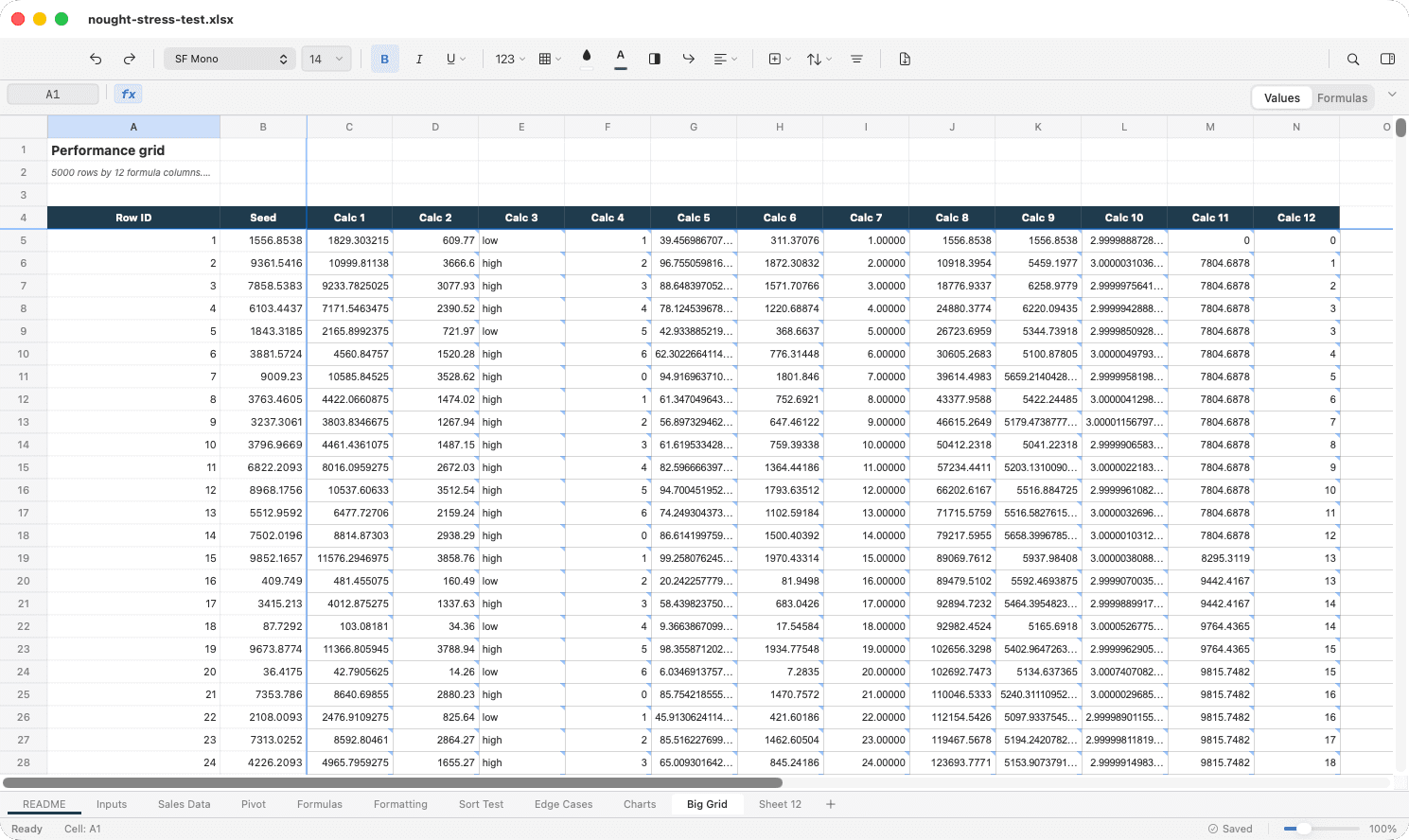
Five thousand rows of live formulas, in a 7.4 MB app.1
I wanted a simple spreadsheet on my Mac. Numbers looks great but converts .xlsx into its own format. Google Sheets wants a browser and a login. LibreOffice works, but feels like it belongs on a different operating system.
The only option that opens .xlsx reliably is Excel, and that means a subscription.
So I built Nought. A spreadsheet that feels like a Mac app, because it is one. It opens your files, edits them in place, and never phones home.
Built for the Mac
Swift and AppKit. Not wrapped in a browser, not ported from Linux.
.xlsx in place
Opens and saves Excel files directly. No import wizard, no export step.
Runs offline
Everything stays on your Mac. No sync, no login, no cloud.
Lightweight
7.4 MB download. Launches instantly.
The only native Mac spreadsheet with real .xlsx.
Numbers forces you to export. Google Sheets needs the internet. LibreOffice works, but it is a 285 MB install and feels like a different operating system.
Nought opens your files directly, edits them, and saves them back. There is no conversion step to forget.
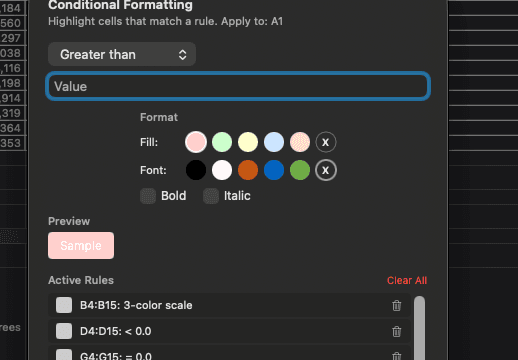
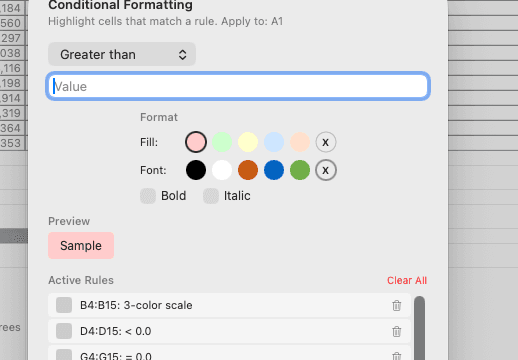
The same rule, the same sheet, both ways. Drag to compare.
How Nought compares
| Feature | Feature | Nought | Google Sheets | Numbers | LibreOffice |
|---|---|---|---|---|---|
| No subscription | ✓ | ✓ | ✓ | ✓ | |
| Works offline | ✓ | — | ✓ | ✓ | |
| Mac-native | ✓ | — | ✓ | — | |
| Opens .xlsx in place | ✓ | ✓ | — | ✓ | |
| Lightweight install | ✓ | n/a | ✓ | — | |
| Charts | 23 types | ✓ | ✓ | ✓ | |
| Functions | 200+ | 400+ | 250 | 400+ |
Works with your files
What makes Nought different
200+ formulas
From SUM and VLOOKUP to NORM.DIST, XMATCH and TEXTSPLIT. Statistical, financial, engineering, array and date functions, with autocomplete that shows the signature and argument hints as you type.
23 chart types
Bar and horizontal bar, line and step, pie and donut, area and stacked area, scatter and bubble, combo, waterfall, radar, stock, treemap, sunburst, histogram, Pareto, box and whisker, funnel.3 Interactive tooltips on hover; any chart exports as PNG or SVG.
Full formatting
Bold, italic, colours, borders, merged cells, conditional formatting with colour scales and data bars, eleven currencies, and custom number formats that survive the round trip.
Everything else
- Sort and filter
- Single and multi-column sort. Auto-filter with per-column dropdowns.
- Frozen panes
- Freeze rows and columns at the selection. Persisted to .xlsx.
- Conditional formatting
- 17 rule types, including colour scales and data bars.
- Data validation
- Dropdown lists, number ranges, date ranges, in-cell arrows.
- Named ranges
- Create, edit and use them in formulas. Workbook and sheet scope.
- Find and replace
- Across cells. One at a time or all at once.
- Cell styles
- Nine built-in templates: Normal, Heading, Good, Bad, Neutral and more.
- Multi-currency
- Eleven currencies in the toolbar. Custom codes via OOXML brackets.
- Sparklines
- Miniature charts inside cells.
- Sheet management
- Add, delete, rename, reorder, duplicate, colour and hide sheets.
- Merge cells
- Merge and unmerge with content and formatting preserved.
- Zoom
- 25% to 400%. Cmd+Plus, trackpad pinch, or Option+scroll.
- Chart round-trip
- Charts saved to .xlsx open in Excel, and the other way round.
- PDF with charts
- Exported inline, at their position in the grid.
- Interactive charts
- Hover for values. Series highlight on hover.
- Accessibility
- VoiceOver labels, keyboard navigation, focus rings, reduced motion.
- Engineering functions
- DEC2HEX, BIN2DEC, HEX2BIN, OCT2DEC and every base conversion.
- Statistical functions
- NORM.DIST, BINOM.DIST, T.DIST, POISSON, CONFIDENCE, PERCENTRANK.
- Array functions
- VSTACK, HSTACK, WRAPROWS, TOCOL, TAKE, DROP, CHOOSECOLS, MAKEARRAY.
- Financial functions
- SLN, SYD, DB, DDB, PPMT, IPMT, EFFECT, NOMINAL.
What it costs
Prices as listed August 2026. Excel via Microsoft 365 Personal, billed annually. Nought is 7.4 MB, one payment after a 14 day trial, and there is no year two.
Excel pricing via Microsoft 365 Personal.2
Try Nought free for 14 days.
Nought is early software. It does not yet cover everything you would expect from a spreadsheet, but it gets better every week. If something feels off, I want to hear about it.
7.4 MB· macOS 14 or later · Apple Silicon and Intel · signed and notarised by Apple5
Notes
- 1.Download sizes as listed on the Mac App Store, August 2026. Nought 7.4 MB (v1.0.44); Microsoft Excel 1,163 MB. Sizes vary by device and by macOS version, which is why both figures are quoted from the same source on the same day. ↩
- 2.Microsoft 365 Personal, $99.99 a year, billed annually, as listed August 2026. Excel is also sold as a one-time purchase; the subscription is the route most people arrive by, and the one the comparison is about. ↩
- 3.Twenty-three chart types. Seventeen round-trip through .xlsx as standard OOXML charts; the other six save as their closest classic equivalent, and the chart picker marks which is which before you commit to one. ↩
- 4.Fourteen day trial, then $9.99 once. When a trial ends Nought becomes read-only: your files still open, still scroll and still print. Anyone who owned Nought before version 1.0.28 keeps it in full, permanently. ↩
- 5.The total in the hero is a real formula over four real cells. It has never returned anything else, and a good deal of the work goes into keeping it that way. ↩